
Long-Term Care 2.0 Service Integration Platform
This undergraduate project is a long-term care service integration platform centered on an Android app. The goal is to centralize information flow between care recipients, family members, and service providers. The design focuses on a simple request flow for elderly users, with cloud database storage and FTP-based voice-message upload.
Patent Publication Number: M556380 Received 2018 U-start Innovation and Entrepreneurship Program First Phase Subsidy NT$500,000 Won 2018 Asia University Cup 7th Campus Entrepreneurship Competition Second Place
This project started from the user flow of Taiwan’s long-term care services. Application procedures, service matching, and caregiver resource constraints can all raise the barrier for families and care recipients. We designed an integrated app flow to connect care requests, family-side status viewing, and service information in one place.
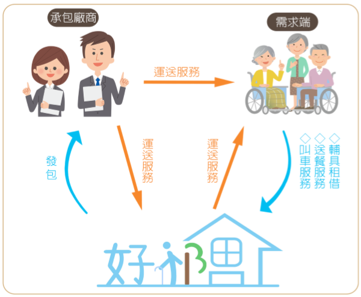
Below is the main architecture of our designed system.
As shown below, the system focuses on information integration: care recipients can submit requests, while family members can check related records and status.
Before building this APP, I first listed the required technologies, then conceived methods to implement related functions, as shown in the table below.
| Required Technologies | Implementation Methods |
|---|---|
| Record care recipient’s personal data and purchased services | Use cloud MySQL server for storage, reducing server load |
| Care recipient transmits voice messages | Use remote access to FTP server for data transmission |
| User login authentication via APP | Use JDBC (Java Database Connectivity) for SQL server authentication |
| Care recipient connects to FTP server via APP | Use FTPClient (Java file transfer) for user upload/download functions |
After completing each implementation method listed above, I integrated the different program parts. The process involved issues such as syntax errors, command compatibility, database setup, and FTP server configuration. These problems became useful practice in mobile app development, database connectivity, and file-transfer integration.
Combining team research on long-term care services with the app I developed, the project applied for a long-term care service platform utility model patent and received U-start innovation and entrepreneurship program support.
Project Architecture
Hardware Architecture:
Cloud SQL Server (freesqldatabase.com):
Remote FTP Server (FileZilla):

AndroidStudio Development Software:
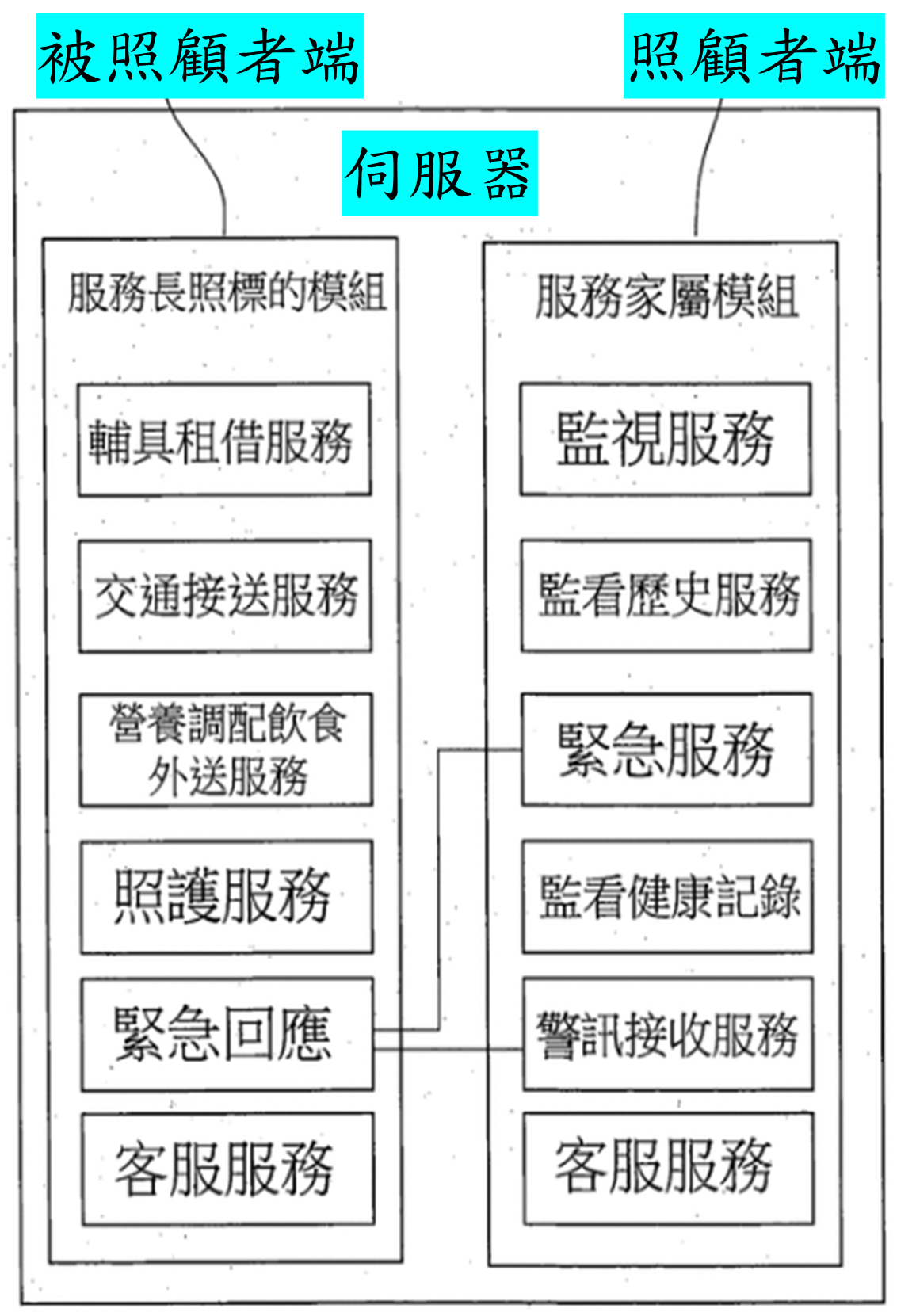
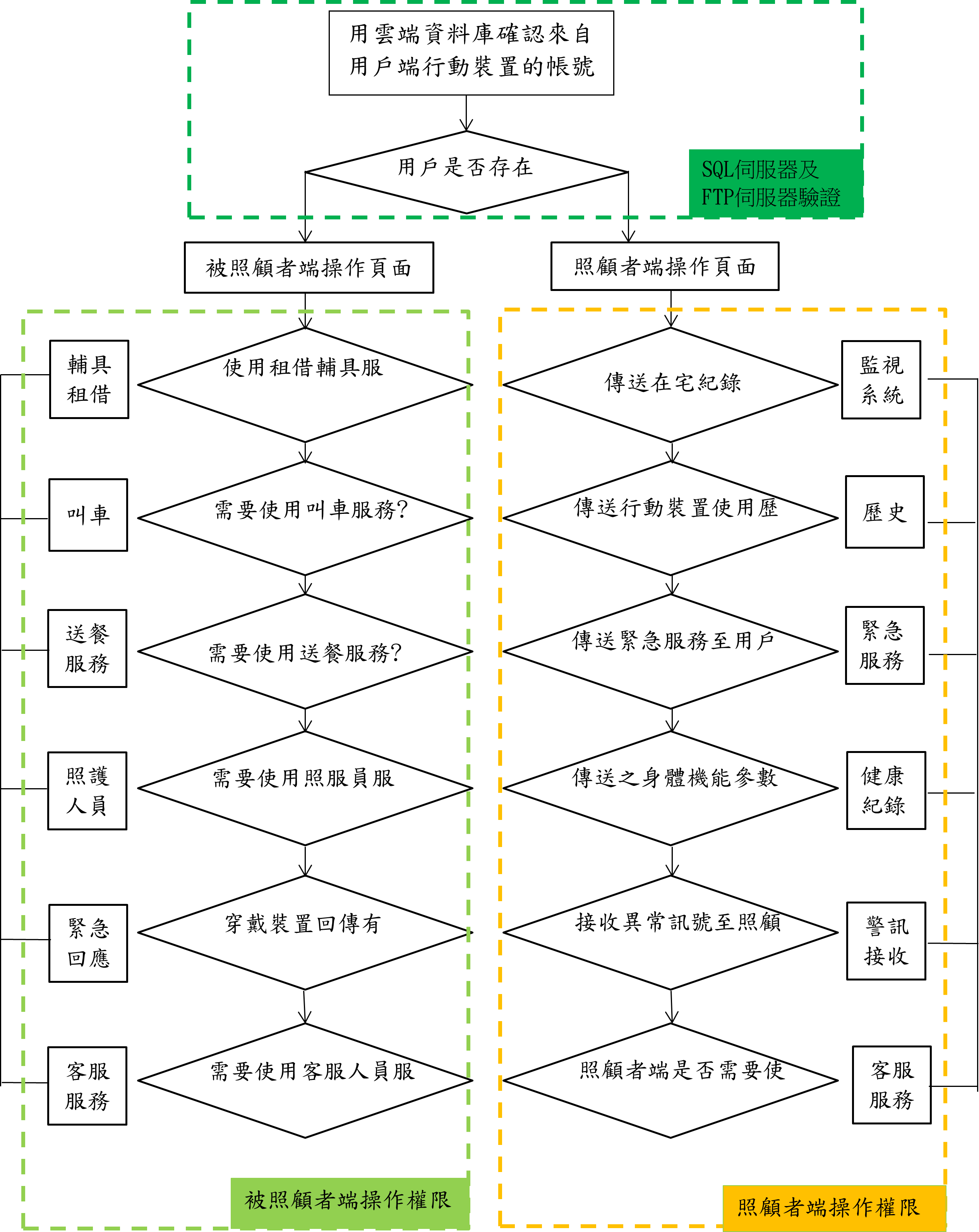
Main Architecture Divided into Three Parts:
Care Recipient Side: Equipment rental, transportation, meal delivery, care services, emergency response, customer service, etc.
Caregiver Side: Monitoring, viewing history, emergency services, health record monitoring, alert reception, customer service, etc.
Server Side: Handles data transmission between caregiver and care recipient, executes various services, records user personal data, medical records, etc.
Project Flowchart
Implementation Process:
Setting Up Cloud SQL Database
Before setting up the cloud database, one must understand SQL concepts.
SQL databases can store large amounts of meaningful data. Data can be added, deleted, and modified. The SQL language has four major categories: Data Query Language (DQL), Data Definition Language (DDL), Data Manipulation Language (DML), and Data Control Language (DCL).
Initially, I built the SQL using WAMP (Windows+Apache+MySQL+PHP) method, setting up the SQL server on the local computer. However, due to local network inconvenience, I wanted to use cloud servers for access. Today’s cloud database technology is mature. Current mainstream servers include:
Amazon Web Services (AWS):

Google Cloud Platform (GCP):

Microsoft Azure:
The above cloud database services provide complete functionality, but they require payment. I ultimately chose the free cloud server freesqldatabase.com. While its functionality differs from major providers, the free MySQL setup was sufficient for academic prototyping.
Setting Up MySQL Server
After successfully setting up the SQL server:
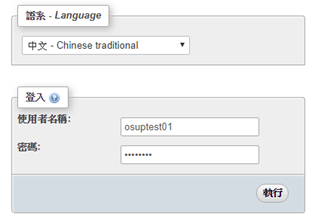
Login to cloud SQL server host
Execute SQL queries on the MySQL Server:
Create database:

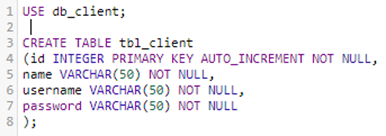
Set table content:
Add test data:
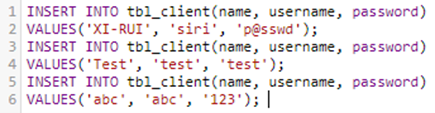
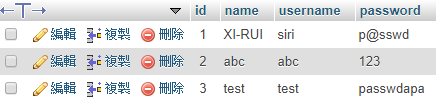
Execution result
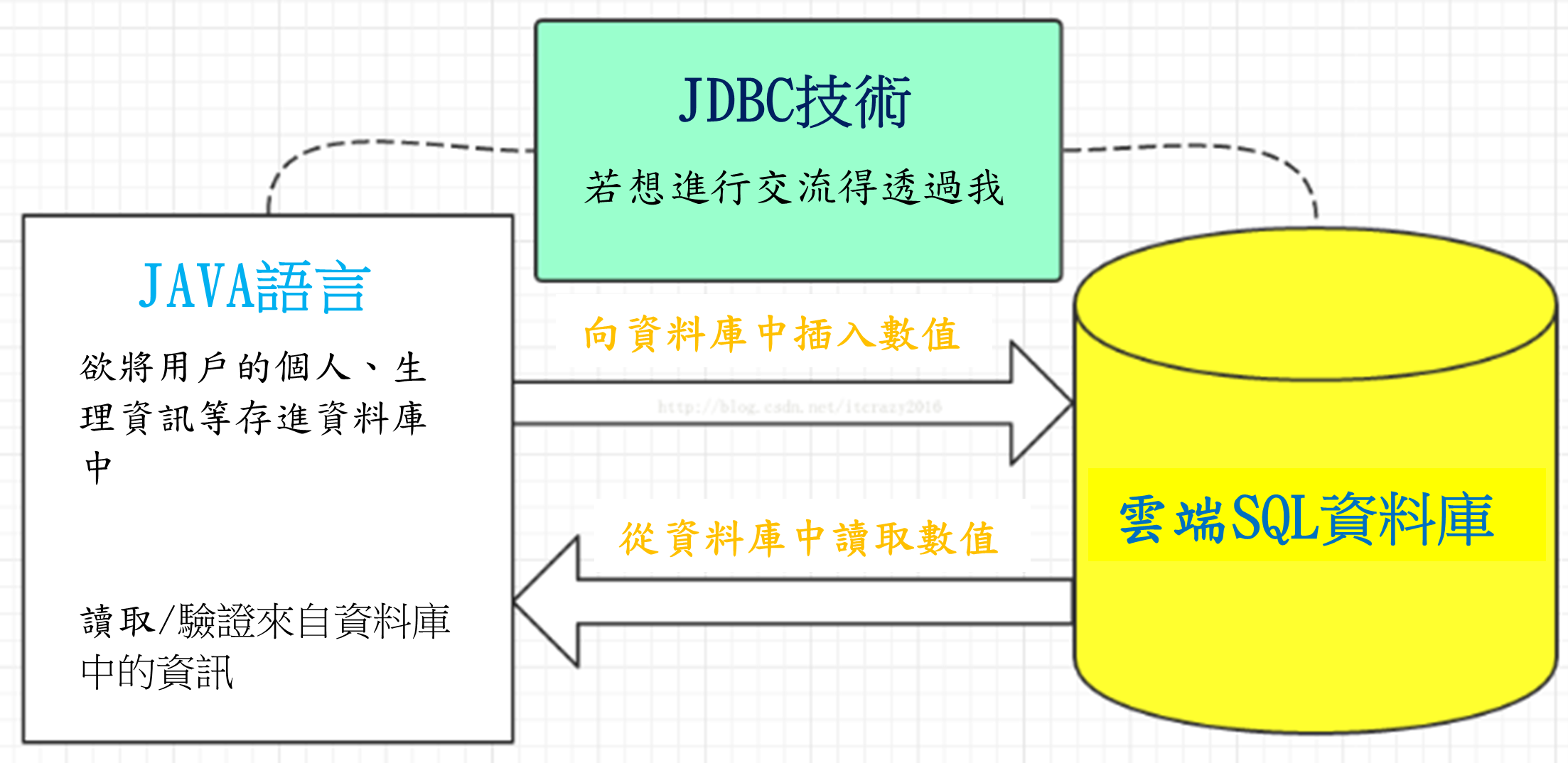
Using Java Database Connectivity (JDBC) to Access Cloud SQL Database
JDBC (Java DataBase Connectivity) is Java’s solution for executing SQL. When applications need database connections, they call this API set.
Installing JDBC MySQL Driver in AndroidStudio
JDBC provides a unified interface for Java programs to access various SQL types. Users don’t need to write different code for different databases, but using JDBC requires downloading the corresponding driver.
Since I used phpMyAdmin to build MySQL database, I needed to download MySQL driver: [mysql-connector-java-5.1.43-bin.jar]
After adding JDBC driver to AndroidStudio, due to system compatibility differences, a few lines of code must be added to all module build.gradle to ensure smooth program execution:
tasks.withType(JavaCompile) { sourceCompatibility = “1.7” targetCompatibility = “1.7” }
compileOptions { sourceCompatibility JavaVersion.VERSION_1_8 targetCompatibility JavaVersion.VERSION_1_8 }
Using JDBC Commands in AndroidStudio for Login Verification
Set SQL server connection authentication:
db = "jdbc:mysql://example-host/example_db";
un = "example_user";
pass = "********";
Use try-catch command for account verification:
If SQL server login succeeds, use SQL command to verify if user is listed:
String query = "select * from tbl_client where username= '" + usernm + "' and password = '"+ passwd +"'  ";
Statement stmt = con.createStatement();
ResultSet rs = stmt.executeQuery(query);
if(rs.next())
{
    z = "Login successful";
    isSuccess = true;
...
Besides verification methods, other additional functions must be completed, such as login failure actions, error and exception information displays, etc.
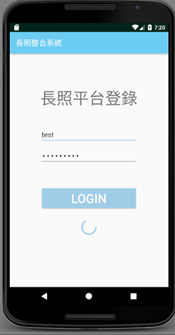
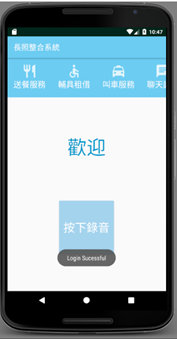
System logging in:
Login successful screen:
Using APP to Send Files to FTP Host
Setting Up FTP Host
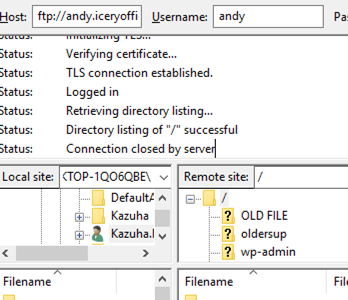
Before handling file transmission to server, you must have a server that can connect to external networks. This can be easily achieved using router port forwarding functionality.
Confirm connection with FTP host:
Using Apache Commons FTPClient API for Data Transmission to FTP Host
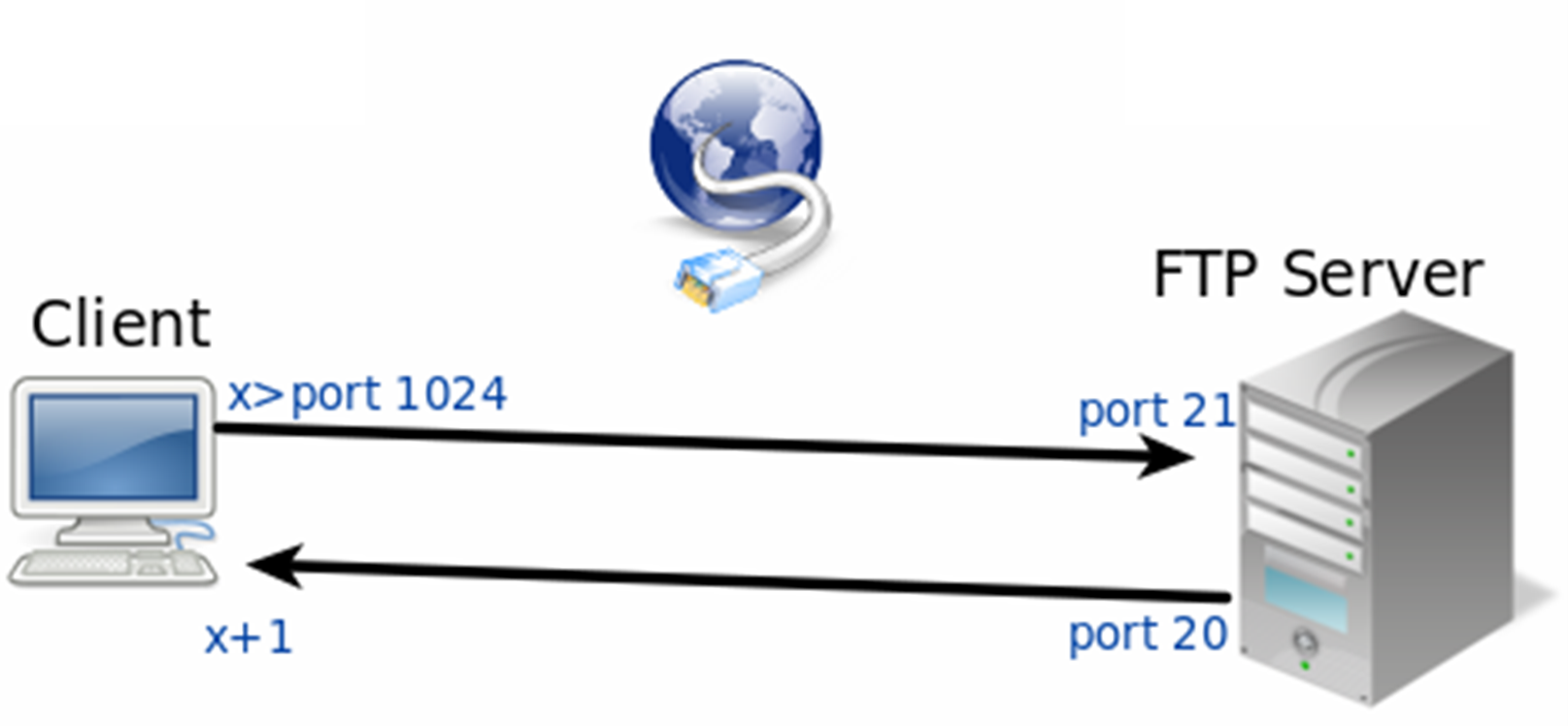
Apache Commons Net implements clients for many basic Internet protocols. I used FTPClient commands from one of its classes for file transmission implementation.
FTPClient API enables APP to easily complete file transmission operations
Using FTPClient Commands in AndroidStudio for Data Upload
Installing apache commons net 3.3 driver and environment parameters.
Setting FTPClient command to login to FTP server
new Thread(new Runnable() {
    public void run() {
        boolean status = false;
        status = ftpclient.ftpConnect("andy.iceryofficial.com", "andy", "*****", 21);
        if (status == true) {
            Log.d(TAG, "Connection successful");
......
Designing button actions: record while pressed, upload when released:
Using MediaRecorder for recording implementation
String currenttime = new SimpleDateFormat("MMddHHmm").format(new Date());
mFileNamepath = Environment.getExternalStorageDirectory().getAbsolutePath() + "/OlderSupport/";
mFileName =  currenttime+ mFileStatue + ".mp3";
mRecorder.setOutputFile(mFileNamepath+mFileName);
mRecorder.setAudioEncoder(MediaRecorder.AudioEncoder.AMR_NB);
  try {
    mRecorder.prepare();
} catch (IOException e) {
    Log.e(LOG_TAG, "prepare() failed");
}
mRecorder.start();
......
Using ftpUpload method for upload action implementation
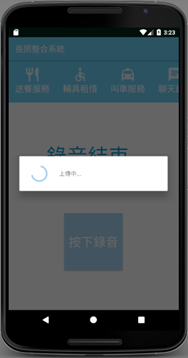
pd = ProgressDialog.show(MainMenu.this, "", "Uploading...",true, false);
new Thread(new Runnable() {
    public void run() {
        boolean status = false;
        status = ftpclient.ftpUpload(
                mFileNamepath+mFileName,
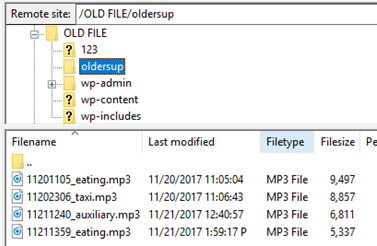
                mFileName, "/oldersup", cntx);
        if (status == true) {
            Log.d(TAG, "Upload successful!");
......
Results
Recording screen:
Upload screen:
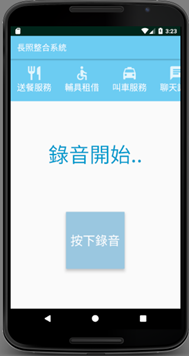
Upload to FTP server result:
Reflection
This project took about four months from concept to completion. The early stage involved several weeks of UI and workflow discussion with teammates. During implementation, I encountered API compatibility, SDK version, permission, and data-transfer issues. Looking back, this project gave me my first full experience connecting requirements discussion, Android app development, database access, and file upload into one working prototype.